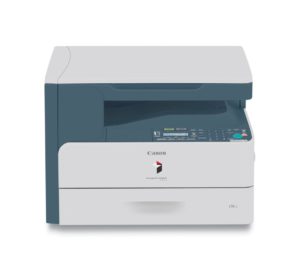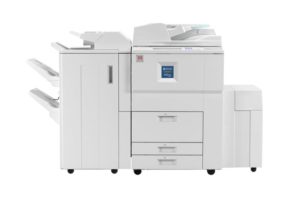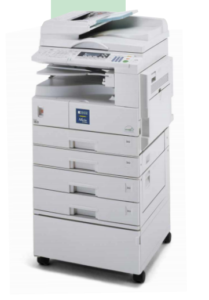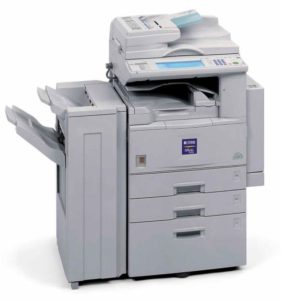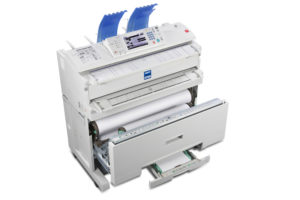
Ricoh MP 6055SP Photocopier

B&W Multifunctionals
Put productivity on display.
Use the RICOH® MP 6055SP to simplify everyday office tasks and move information to the people who need it most, in the format they prefer. Scan full-color images, brochures and other documents and distribute them instantly. With the same pinch-and-flick and scrolling gestures you use on your smartphone or tablet, you can access critical information, set shortcuts and distribute information from the advanced 10.1” Smart Operation Panel. Alternatively, you can use smart mobile devices to connect remotely and work & distribute files on the go. Take advantage of advanced security controls to help protect your data. Nevertheless, the versatile all-inone MFP is designed specifically to use less energy, which helps reduce costs.
Print up to 60 prints/copies per minute for productive black-and-white output
Use intuitive touchscreen controls to copy, print, scan and fax quickly
Create your own workflows with shortcuts to simplify tasks
Access, print and distribute information from your personal mobile device
Minimize energy costs via a wide range of innovative eco-friendly features
Produce professional-looking saddle-stitched and punched booklets, presentations and proposals
Simplify sorting and stapling tasks with compact internal and high-output external finishers
Expedite sorting, stapling, folding and hole punching via a wide range of finishing options
Copy Print Scan Fax
Network LAN USB Auto Duplex
Main Features
Make complex the easy way
Printing black-and-white notes, reports and presentations is effortless with speed up to 60 pages per minute (ppm). Scan with Single Pass Document Feeder (SPDF) for full-color originals at 180-Sheet per minute and distribute them digitally in an instant. Addition optional paper trays allows total paper capacity expand to 4,700 sheets to minimize interruptions.
Access anywhere and anytime
Simply download the RICOH Smart Device Connector app on your Android® or iOS® devices to copy, scan, fax and print. Sharing & retrieving information directly from cloud storage applications, such as Google Drive™, Box™ or Dropbox™ and print it. Simple connection via either Bluetooth or Near Field Communication (NFC) tag. Printing from AirPrint and Mopria are available too.
Help reduce environmental impact
The MP 6055SP is easy on your workload as well as budget. Take advantage of its many eco-friendly features. The MFP is ENERGY STAR® certified with multiple enery-saving options available. For instance, you can schedule the MFP to power down when the office is empty and keep duplex printing as the default to reduce paper costs.
Expand capability with Apps & Solutions
Download easy-to-use workflow apps from the RICOH Application Site to add specific features or single-function capabilities to simplify how you perform everyday tasks. Add Ricoh and third-party solutions to simplify complex workflows and automate many of your repetitive everyday tasks. With RICOH GlobalScan™ NX solution, you can digitize hardcopy originals and distribute them anywhere almost instantly with minimal effort. Use RICOH Streamline NX® solution for document creation, storage, retrieval, distribution, card authentication and more. Also RICOH Device Manager NX Accounting and issue chargebacks for individuals and workgroups with incredible speed and accuracy.
Tap into critical information
Use the 10.1” intuitive Smart Operation Panel to toggle between jobs and tasks quickly and conveniently like smart mobile devices. Designed with RICOH Workstyle Innovation Technology, the touchscreen offers multiple user interfaces that display critical information in a grid-like layout. Simply tap on any icon to access data, change settings, and perform tasks easily. You can print web pages, images and documents as PDFs from web browser at any time.
Be secure with your information
Reduce risks with a wide range of security controls. Track users and their activity with User Authentication. Have every person enter a passcode or swipe an ID card by the optional NFC or HID card readers to access the device. Set print quotas for individuals or workgroups to minimize unnecessary printing. With Locked Print, jobs are held until the authorized user releases them, so sensitive information isn’t left unattended for passersby. The hard disk drive includes powerful encryption protection, which allows users to share information with confidence, and a DataOverwriteSecurity System (DOSS) overwrites latent images on the hard drive.
| General | |
| Warm up time | 20 seconds |
| First output speed | 2.9 seconds |
| Continuous output speed | 60 ppm |
| Memory | Standard: 2 GB |
| HDD | 320GB |
| Dimensions (WxDxH) | 587 x 684 x 788 mm |
| Weight | 62 kg |
| Power Source | 220-240 V, 50/60 Hz |
| Paper Handling | |
| Recommended paper size | A3, A4, A5, A6, B4, B5, B6 |
| Paper Input Capacity | Standard: 1,200 sheets ( 2×550 sheets paper tray 1×100 sheets bypass tray ) Maximum: 4,700 sheets ( 2×550 sheets paper tray 1×100 sheets bypass tray 2×1000 sheets LCT 1×1500 sheets side LCT ) |
| Paper Weight | 52 – 300 g/m² |
| Copier | |
| Copying Process | Single laser beam & electro-photographic printing Twin laser beams &Electro-photographic printing |
| Multiple Copying | Up to 999 copies |
| Resolution | 600 x 600 dpi |
| Zoom | From 25% to 400% in 1% steps |
| Fax (optional) | |
| Circuit | PSTN, PBX |
| Compatibility | ITU-T (CCITT) G3 |
| Resolution | 8 x 3.85 line/mm, 200 x 100 dpi (standard) 8 x 7.7 line/mm, 200 x 200 dpi (standard) 8 x 15.4 line/mm, 16 x 15.4 line/mm, 400 x 400 dpi (with optional SAF memory) |
| Transmission Speed | G3: 2 seconds (200 x 100 dpi, JBIG) G3: 3 seconds (200 x 100 dpi, MMR) |
| Modem Speed | Maximum: 33.6 Kbps |
| Scanner | |
| Scanning Speed | ARDF: Max. 80 originals per minute SPDF: Max. 110 (simplex) / 180 (duplex) originals per minute |
| Resolution | Standard: 100 dpi, 200 dpi, 300 dpi, 400 dpi, 600 dpi Default: 200 dpi |
| Original Size | A3, A4, A5, B4, B5, B6 |
| File formats | TIFF, JPEG,PDF, High Compression PDF, PDF-A |
| Bundled Drivers | Network TWAIN Driver |
| Scan to Email | SMTP (Mail Server) Gateway and TCP/IP, POP, IMAP4 |
| Scan to Folder | SMB, FTP |
| Printer | |
| Printer Languages | Standard: PCL5e, PCL6, PDF Direct, PS3 (Emulation) Option: Adobe PostScript3, Adobe PDF |
| Print Resolution | Maximum 1,200 x 1,200 dpi |
| Interface(s) | Standard: USB Host I/F, Ethernet 10 base-T/100 base-TX/1000 base-T Option: Wireless LAN (IEEE 802.11a/b/g/n), Bluetooth, USB Server for Second Network Interface, Bidirectional IEEE 1284/ECP, USB 2.0 |
| Network Protocols | TCP/IP(IP v4,IP v6) |
| Windows® environments | Windows Vista/7/8/8.1/10, Windows Server/2008/2008 R2/2012/2012 R2 |
| Mac OS environments | Mac OS X v.10.7 or later ( PostScript3 required ) |
| UNIX environments | Sun Solaris, HP-UX, SCO OpenServer, Red Hat Linux, IBM AIX, IBM iSeries/AS/400-using OS/400 Host Print Transform |
| SAP® R/3® environments | SAP® R/3® |
| Ecology | |
| Power Consumption | Maximum: 1,780 W Ready mode: 48.8 W Sleep mode: 0.82 W TEC (Typical Electricity Consumption): 2.8 kW/h |
| Options | |
| Internal Multi-Fold Unit FD3000, PostScript3 Unit Type M29, ARDF DF3090, SPDF DF3100, Platen Cover PN2000, Marker Type 30, Paper Feed Unit PB3220, Paper Feed Unit PB3250, LCIT PB3260, LCIT RT3030, Caster Table Type M3, 1 Bin Tray BN3110, Internal Shift Tray SH3070, Side Tray Type M3, Bridge Unit BU3070, Finisher SR3210, Booklet Finisher SR3220, Punch Unit PU3050 NA, Punch Unit PU3050 EU, Punch Unit PU3050 SC, Finisher SR3230, Booklet Finisher SR3240, Punch Unit PU3060 NA, Punch Unit PU3060 EU, Punch Unit PU3060 SC, Internal Finisher SR3130, Punch Unit PU3040 NA, Punch Unit PU3040 EU, Punch Unit PU3040 SC, Internal Finisher SR3180, ADF Handle TypeC, USB Device Server Option Type M19, Unicode Font Package for SAP(R) 1 License, Unicode Font Package for SAP(R) 10 License, Unicode Font Package for SAP(R) 100 License, IEEE 802.11a/g/n Interface Unit Type M19, Extended USB Board Type M19, IEEE 1284 Interface Board Type M19, File Format Converter Type M19, FAX Memory Unit Type M19 64MB, OCR Unit Type M13, Optional Counter Interface Unit Type M12, Key Counter Bracket Type M3, External Keyboard Bracket TypeM19 | |